Is TinyPaint an MS Paint alternative for Mac?
Yes. TinyPaint brings the familiar pencil, brush, fill, eraser, shapes, lines, text, color palette, and foreground/background color workflow to modern macOS.
Retro style. Ultra light. Powerful features.
If you searched for MS Paint, MSPaint, Microsoft Paint, or the classic Windows Paint experience but use a Mac, TinyPaint offers familiar drawing tools in a fast, native macOS app.
Yes. TinyPaint brings the familiar pencil, brush, fill, eraser, shapes, lines, text, color palette, and foreground/background color workflow to modern macOS.
No. TinyPaint currently requires macOS 14 or later. Windows users looking for the official Microsoft Paint should use Microsoft’s own product and download sources.
No. TinyPaint is an independent VUBA app inspired by the simplicity of classic late-90s desktop paint programs.
TinyPaint is an independent app made by VUBA. It is not affiliated with, endorsed by, or distributed by Microsoft.
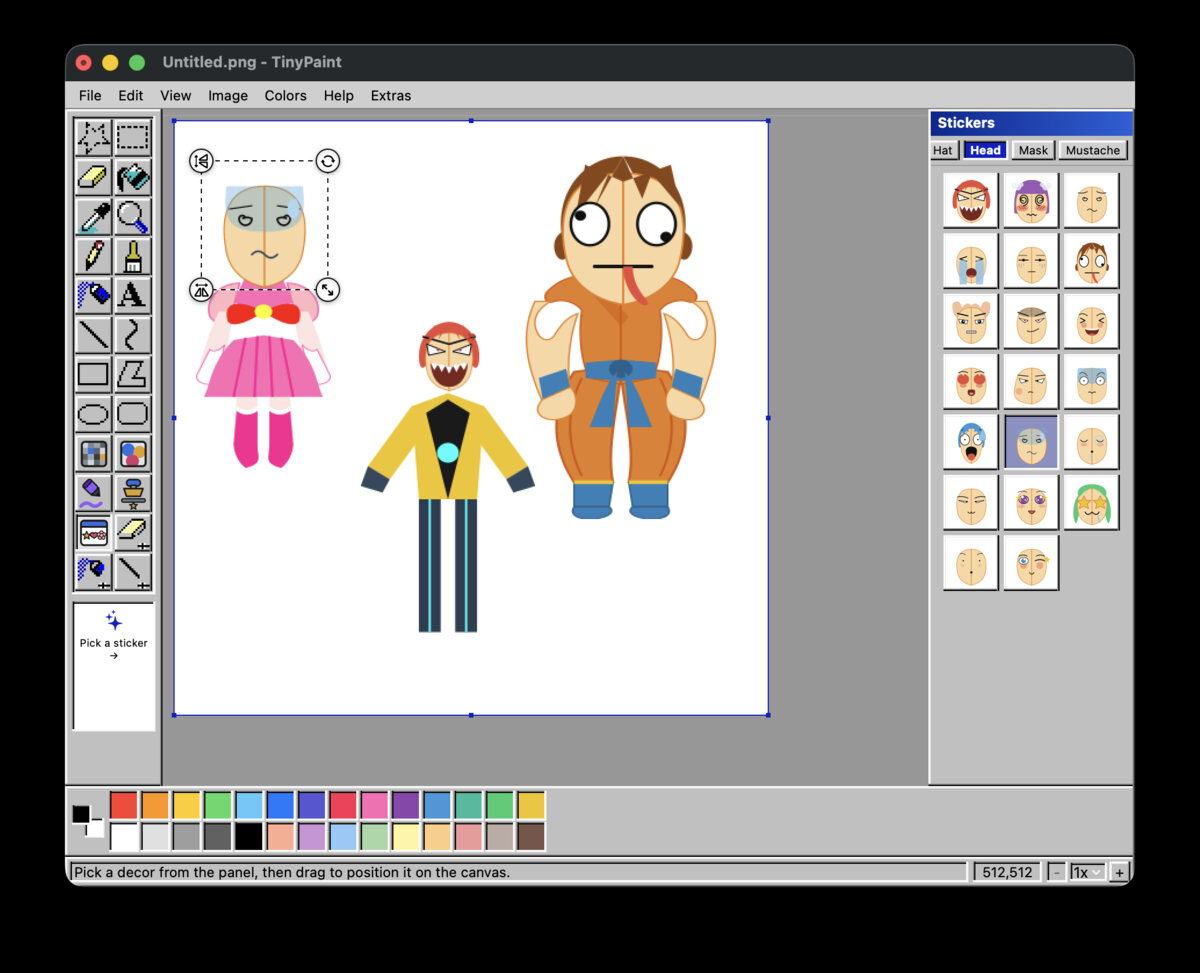
TinyPaint is a small, fast, native paint and pixel art app for Mac, inspired by classic late-90s desktop paint programs and rebuilt for modern macOS.
Experience the nostalgic classic OS look and feel, reimagined for modern screens.
Built natively with Swift. Blazing fast, battery friendly, and local-first.
Switch between classic Teal, Silver, High Contrast, and more to suit your mood.
Includes GIF export, custom wallpaper generation, screen capture, and fun decors.